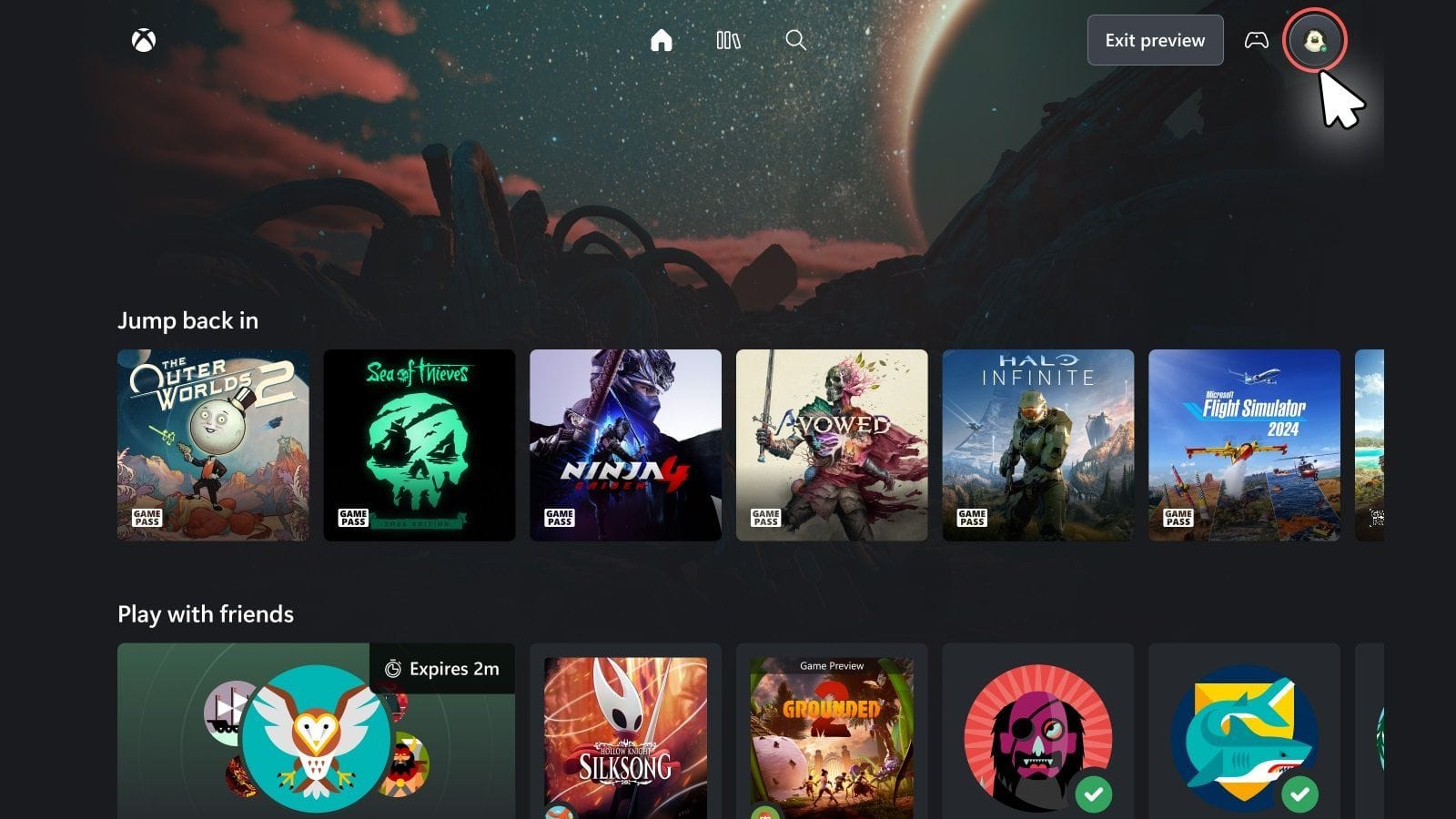

Xbox is currently testing a new UI for Xbox Cloud Gaming, designed to deliver cleaner elements and a more intuitive user experience. However, this new UI is only available in a public preview form. Therefore, you will need to manually enable the “Preview features” to access the new version.
In this article, I will tell you everything you need to know about the new Xbox Cloud Gaming UI, including how to activate it. Read on to learn more.
Xbox Cloud Gaming’s new preview UI: A definite improvement

The old UI of Xbox Cloud Gaming resembled the Xbox app on Windows, which is cluttered and looks a bit dated. The homescreen’s background blur depends on the selected game’s cover art, which looks sort of nice at first glance but then weird when swiping through different titles.
However, the new preview UI feels like a breath of fresh air. If you have used the Xbox Series X|S, then you should see the resemblance. It’s cleaner and more intuitive. The homescreen also features a new background wallpaper that is not tied to a particular game, making it look better. Overall, it’s a change in the right direction.
How to activate the new UI on Xbox Cloud Gaming


Here’s how to activate the new UI on Xbox Cloud Gaming:
- Visit Xbox Cloud Gaming and sign in to your Xbox account if you are not already signed in.
- Next, click on your Profile icon at the top-right and select Settings from the drop-down menu.
- Under the Account tab, look for Preview features near the bottom and turn on the toggle next to it.
- Next, click Yes and wait for the new UI to activate. Do not refresh the page, or else you will have to reactivate it.
- The new UI may take as long as 10 minutes to show up, so wait patiently.
Read more: Windows 11 26H1 version will release with the new Snapdragon X2 laptops, here’s everything new
Will the new Xbox Cloud Gaming UI arrive on the Xbox app?
Personally, I’ve grown tired of the current UI of the Xbox app on Windows 11 and would certainly welcome the new version. However, the Xbox Team has yet to announce if the Xbox app will receive the new UI.
The team is busy gathering feedback on what users like or don’t. A lot can change before it is rolled out to everyone. Therefore, don’t expect the new UI on the Xbox app before it is out of preview on the Xbox Cloud Gaming service.
Read more: Windows 11 error 0x803F8001 breaking Notepad, Xbox, and other apps? Possible fix explored
Edited by Abu Amjad Khan


