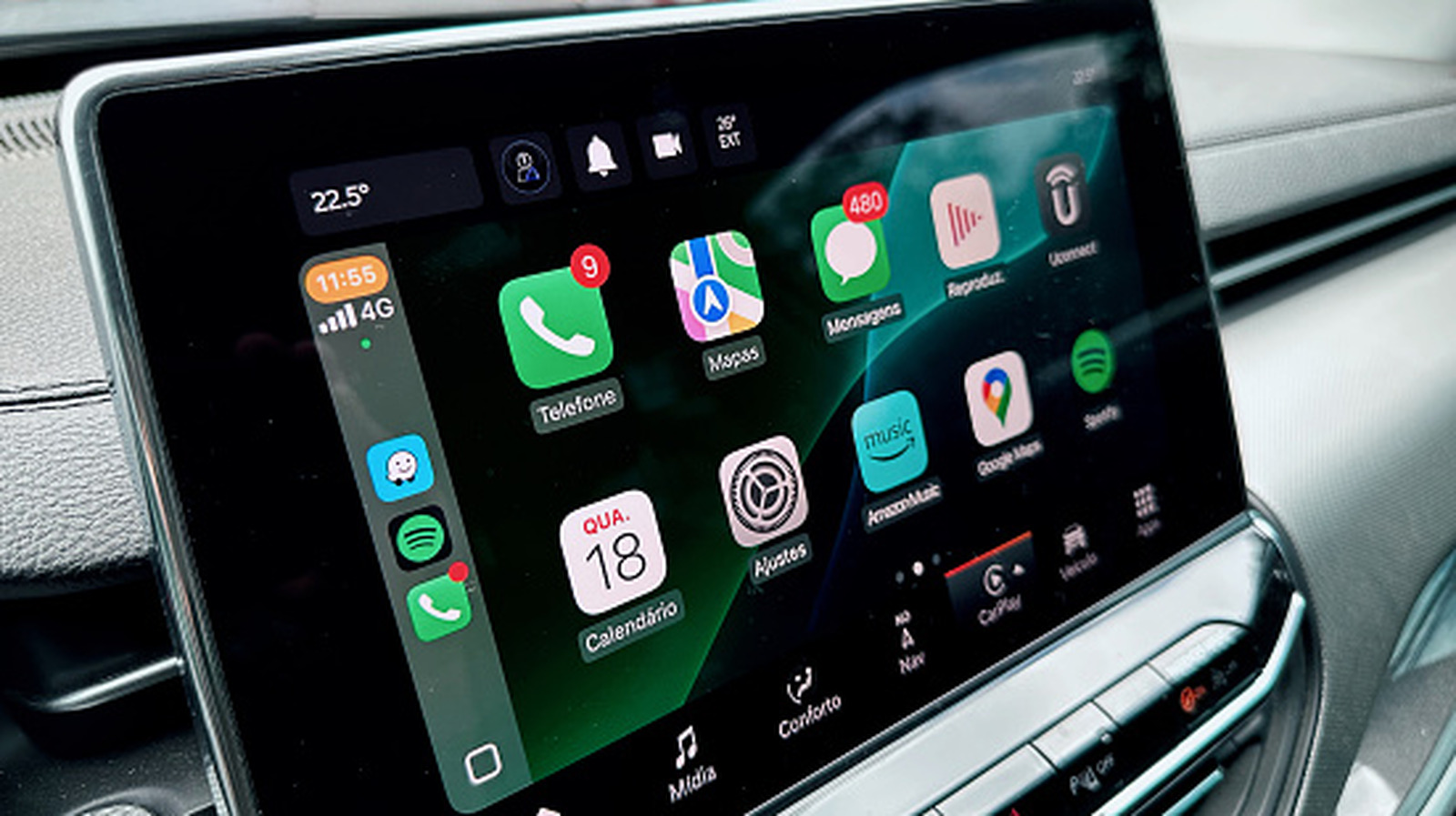
The iOS 26 cycle for Apple CarPlay has been huge, as Apple keeps adding more features to its vehicle infotainment system. In recent months, the company offered a new look with Liquid Glass, rearranged notifications and calls, added a new row of apps in bigger displays, and even improved the CarPlay Ultra experience.
With the latest iOS 26.4 update, the company added support for AI chatbots and an Ambient Music widget. However, it’s not only iOS updates that are making CarPlay a far more reliable experience, as several key apps are now available on the platform, like WhatsApp and Google Meet.
While we eagerly wait for the iOS 27 announcement in June, which is expected to refine the Liquid Glass experience and add all-new Siri capabilities, there will surely be several new tweaks for CarPlay users. After all, it seems like Apple has been listening to user feedback, even though there are several features Apple CarPlay users still want in 2026. That said, April has been a big month for CarPlay, and these are all the new features you can take advantage of the next time you’re behind the wheel.
AI chatbot apps support
Ahead of the all-new Siri introduction, Apple now allows third-party AI chatbots to integrate with CarPlay in iOS 26.4. Basically, users can rely on these apps to have voice conversations. However, the offering is still limited, as, from the big players, only OpenAI’s ChatGPT and Perplexity are available. Google Gemini, X’s Grok, or Microsoft Copilot still don’t have a version for CarPlay, and it’s unclear when that might happen.
Apple has very strict policies about how drivers can take advantage of AI-chatbots, meaning you can’t text them while you’re driving. Expanding further, you can’t have any visual interactions with the app, like generating photos and video, or reading something from the CarPlay’s infotainment panel. Still, it’s already interesting that you can have back and forth conversations, so you can ask the AI about real-time information, something you’ve just seen on the street, or anything else you feel like talking about.
That said, the upcoming new Siri experience is expected to tap into your iPhone’s data to help you find a podcast a friend suggested on Messages the other day, check your calendar in real-time so it can proactively say you can join a meeting at a specific time, and so on. While it’s unclear if Apple will ever give third-party AI apps the same capabilities, at least it took the first step with CarPlay by letting drivers finally interact with them.
Apple Sports widget
In late April, Apple updated Apple Sports to make it work with CarPlay. To start taking advantage of Apple’s Sports app, users need to update to version 3.10. While you won’t see a proper app added to your CarPlay Home Screen, Apple is letting users enjoy widget support on the infotainment display.
Currently, CarPlay users can use two small My Teams and Leagues widget. With those, you can check how your favorite teams performed in various leagues and sports, while the Leagues widget shows the matches (past and upcoming) happening on that day. This update adds on another feature already available for CarPlay users, the ability to follow matches, races, and more happening in real-time thanks to Live Activity support.
With these new widgets and Live Activity support, you’ll never miss an important competition, whether it’s soccer, baseball, or that Formula 1 race happening while you’re coming back from a trip. To set up Apple Sports CarPlay widgets, you need to go to your iPhone Settings, then General, CarPlay, My Car, and Widgets. From there, you can add Apple Sports widgets by selecting the leagues you want to follow whenever you’re driving.
Ambient Music widget
Another iOS 26.4 feature Apple added to CarPlay is a new Ambient Music Widget option. First introduced with iOS 18.4 last year, this function finally arrived for CarPlay. While many iPhone users have never experienced this widget on their devices, it’s a good way to relax or focus, and it doesn’t require an Apple Music subscription.
The Ambient Music feature offers curated playlists for chilling, being more productive, sleeping, or your general well-being. This nice addition can be especially useful after a stressful day at work, if you need to calm your kid in the backseat, or you just want ambient music while you focus on driving.
Like the Apple Sports widget, you can add the Ambient Music option to a CarPlay widget stack by going to your iPhone’s Settings app, selecting General, CarPlay, Widgets, and adding Ambient Music as a new widget. After that, once you get to your vehicle, you just need to select what you’re in the mood for, and start enjoying this feature.
WhatsApp support
Followed by a brief test period, WhatsApp released its official CarPlay app in April, making this one of the top upgrades Apple’s infotainment system ever got. After all, while iMessage is really popular in the U.S., users in other regions prefer WhatsApp as their main messaging platform. With that, Meta’s messaging app is now properly available in all Apple systems, including the iPhone, Mac, iPad, Apple Watch, and now CarPlay.
Unlike the other versions, though, the WhatsApp app for CarPlay offers a list of the most recent chats. Instead of offering an UI with the ability to read the messages someone sent you, you can only send them a voice message or make a call. Drivers can also see if the contacts are pinned, muted, and when the latest message was shared. For those contacts not in recent chats, WhatsApp users can tap the New Message button, and then choose someone from the address book.
Like other apps, WhatsApp for CarPlay is focused on voice-only interactions, which means it’s essentially just a more convenient way to call someone through WhatsApp or send them a voice message. Users can also ask Siri to interact with the app, but they won’t be able to scroll through text messages, see photos or videos sent, or even use reactions, GIFs, or stickers.
Google Meet support
Early in April, Google released Google Meet for CarPlay. What’s more interesting about this launch is that the Meet app got into Apple’s platform even before Android Auto vehicles. With this update, Google lets Meet users access their conferences and calls right from the car’s dashboard. The app’s interface shows a list of all meeting invites you have in one place, and you can just tap one of them to join.
Just like other third-party apps, Google Meet should be available in your CarPlay Home Screen if you have the app installed on your iPhone. Before using the platform, you need to make sure your Google Meet app on the iPhone has an account logged in.
According to Google, drivers can join meetings with a single tap, view their upcoming schedule, and participate in audio-only calls. This means that even if someone has their camera on or if they’re sharing something onscreen, CarPlay users will continue to interact with their voice only. The app is available to everybody, including personal Google accounts, Workspace customers, and Workspace Individual subscribers, potentially making commuting a lot more productive and secure.


